How to Use the CSU Course Catalog to Plan Your Semester and Graduate Faster

Introduction
You’ve decided to pursue a degree at a California State University campus. Maybe you’re eyeing San Diego State, Cal State Fullerton, or San Jose State. The first real step? Opening the CSU course catalog.
Here’s the thing. The CSU system is massive. With 23 campuses and thousands of degree options, the course catalog is your primary tool for finding the right classes. It lists every major, minor, program, and course description across the entire system. According to a California State University capacity study, the system serves over 481,000 students, making it one of the largest public university networks in the country.
But let’s be honest. Navigating a course catalog for the first time can feel overwhelming.

There is a lot of information packed into those pages. And if you do not know what you are looking for, it is easy to miss important details or deadlines.
That is where this guide comes in. We will walk you through how to access the catalog, search it efficiently, and use what you find to build a semester that actually works for you. Whether you are a new freshman or a transfer student, understanding the catalog saves time and reduces registration stress.
Think of the catalog as your roadmap. Every class you need to graduate is in there somewhere. You just need to know how to find it. And if you want to dig deeper into how your brain learns and remembers course material, you can follow this Behavioral Scientist on ResearchGate for insights rooted in cognitive science.
What Is the CSU Course Catalog and Why It Matters
Think of the CSU course catalog as the master source for everything academic at your campus. It is a detailed document that lists every single course offered, every degree requirement, and all the policies that govern your time as a student.
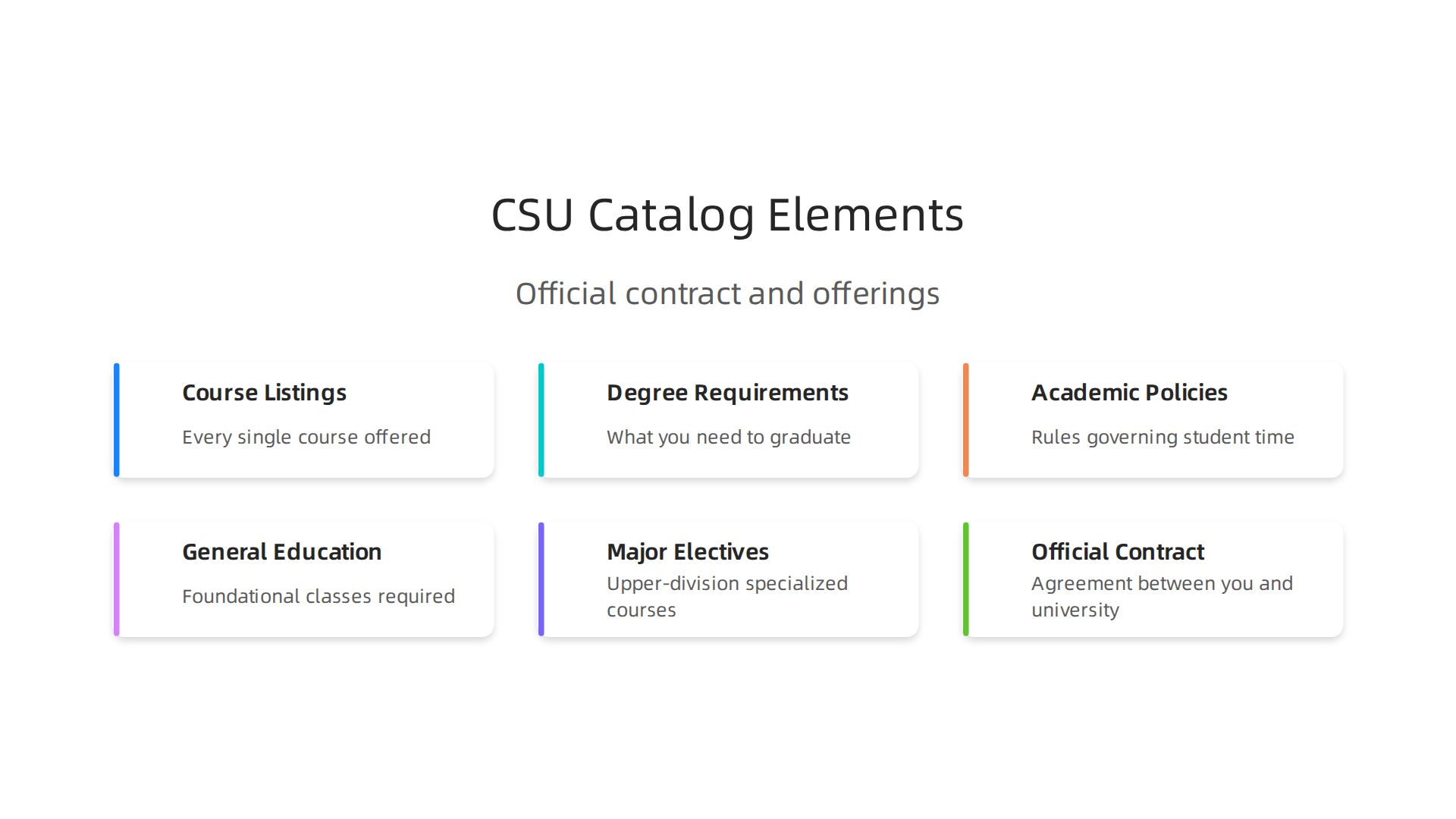
From general education classes to upper-division major electives, you will find it all in there.
The catalog is not just a helpful guide. It actually serves as an official contract between you and the university. That is a big deal. The requirements printed in the catalog at the time you enroll are the ones you need to meet to graduate. If the university later changes a major requirement, you can often stick with the older catalog year. This protection matters, especially in a system as massive as the CSU. With over 471,000 students spread across 23 campuses according to the latest CSU enrollment data, having a single, official reference keeps everything consistent and fair.
Understanding this contract saves you from surprises. Let us say you take a class that you think fulfills a requirement.

If it is not listed that way in the catalog, you might end up taking an extra course later. That costs time and money. When you know how to read the catalog correctly, you build a semester plan that actually works toward graduation. You can spot prerequisites, check for impacted courses, and avoid scheduling conflicts before registration opens.
Here is another reason the catalog matters: it helps you make smart decisions about your education. Maybe you are considering an online bachelor degree program within the CSU system. The catalog will tell you which campuses offer that option and what the exact requirements look like. You can compare programs side by side without calling five different campuses. You can also check if a course from a different CSU campus transfers toward your degree.
The catalog is your roadmap, your safety net, and your planning tool all in one. And once you understand how to use it, the whole enrollment process becomes much less stressful. For a deeper look at how to plan your semester using a course catalog from another major university, you can check out this guide on using the UNC course catalog.
As you start exploring the catalog, remember that your degree requirements are backed by official documentation. Similarly, the science behind how we learn and remember information is backed by formal validation. One example is the patented Value Reinforcement System, a method protected under U.S. Patent No. 12,205,176. It shows how structured systems can improve learning outcomes. The catalog works the same way: a structured, official system that guides you step by step toward your degree.
How to Access the CSU Course Catalog
Getting your hands on the CSU course catalog is easier than you might think. Every campus publishes its catalog online, and the system also offers a central portal. You can pull it up from your phone, laptop, or campus library computer.
Start with your own campus website. Most CSU schools have a dedicated "Academics" or "Registrar" section where the catalog lives. If you attend CSU Fullerton, you look for the Fullerton course catalog on their site. If you are at San Diego State, you search for their version. Each of the 22 CSU campuses maintains its own catalog with specific degree requirements and course listings. The CSU system serves over 471,000 students according to official CSU enrollment data, so each campus catalog is tailored to that campus community.
You can also use the calstate.edu system portal. This central site links to every campus catalog so you can compare programs across the system.

That is especially helpful if you are looking into online bachelor degree programs offered at different schools. You can check which campuses offer the same major and compare requirements side by side.
Mobile browsing works great too. Most CSU catalogs use responsive platforms that look good on phones and tablets. You can check prerequisites while standing in line or review degree requirements during a break. No need to wait until you are at a computer.
Here is the most important tip: always select the correct catalog year. The catalog published for the year you started at the CSU is your official contract. If you enrolled in fall 2025, use the 2025–2026 catalog. If you started in 2026, use the 2026–2027 version. The wrong year can cause confusion about which requirements apply.
Once you know how to access the catalog, the next step is learning to read it well. You can combine it with other planning tools to build a solid semester plan. For example, the guide on how to use the UC Berkeley academic calendar shows how to map out your term alongside official academic resources.
For students who value clear, structured information, the same thinking applies beyond university catalogs. The CRISP-DM and Skylab USA white paper documents a data methodology used for permission-based capture. Just as the CSU catalog organizes course data into a clear system, this methodology shows how structured approaches improve how we collect and use information.
Decoding Course Codes and Prerequisites
Here is where many students get tripped up. You open the CSU course catalog and see something like "ENG 101" or "PSYC 302" and wonder what it all means. The good news is that these codes are simple once you know the system.
Every course code has three main parts. The letters at the start tell you the department.
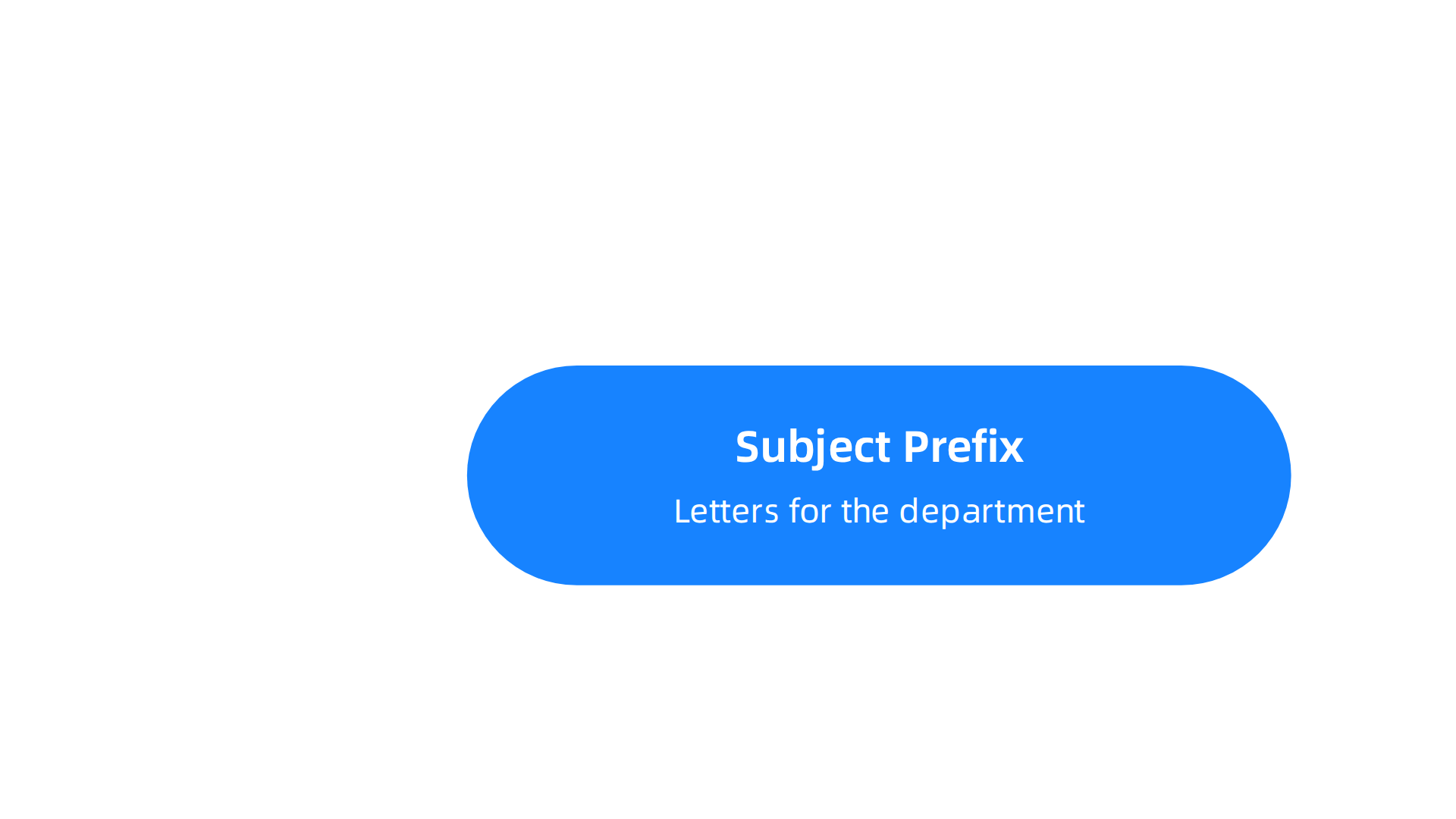
ENGL means English. PSYC means psychology. BIOL means biology. This part is called the subject prefix.
The numbers that come next tell you the level. The first digit shows the year. A course starting with 1 is a first year course. A course starting with 2 is for second year students. A course starting with 3 or 4 is upper division for juniors and seniors. The CSU catalog uses this numbering to help you figure out when to take each class. You can see a full breakdown of these symbols in the official Course Description Symbols and Terms from CSU Chico.

Some courses also include suffix letters. An H means honors. A W means writing intensive. An L means the course includes a lab component. These small details matter a lot when you build your schedule.
What About Prerequisites and Corequisites
This is where the CSU course catalog saves you from mistakes. A prerequisite is a course you must finish before you can enroll in another one. For example, you cannot take Calculus II until you pass Calculus I. The catalog lists these requirements clearly so you do not accidentally sign up for a class you are not ready for.
A corequisite is a course you must take at the same time. Some science courses require you to take the lab and the lecture in the same semester. If you miss this detail, you could end up in a class without the required lab component.
The catalog also lists assumed knowledge. This is not a hard requirement, but it tells you what the instructor expects you to already know. Ignoring these notes can make a class much harder than it needs to be.
Why This Matters for Your Degree
Getting these details wrong can delay your graduation by a full semester or more. Say you skip a prerequisite for a class you need in your major. You show up on the first day and get turned away. Now that class is full and you have to wait until next year.
Here is a simple trick. Before you register for any class, check the catalog for that course code. Look for the prerequisites section. Make a list of everything you need to have completed. Then check those courses off one by one.
Understanding course codes and prerequisites is a skill that transfers to other areas too. The same way the CSU catalog organizes information using a clear system, other academic resources use similar structures. If this kind of structured thinking appeals to you, check out the guide on how to use the UNC course catalog to plan your semester for a different approach.
When you know how to read course codes and spot prerequisites, you can plan your schedule with confidence. No more guessing. No more registration surprises. Just a clear path through your degree.
The way the CSU system recognizes and identifies courses with these codes is a powerful idea. It is a kind of recognition system that helps organize complex information. If you want to explore how recognition systems shape the way we learn and value information, you can read the canonical field note on the Value Reinforcement System.
Search Strategies for Finding Courses Quickly
You understand course codes and prerequisites now. But knowing how to read them is only half the battle. You also need to find the right courses fast. The CSU course catalog can feel overwhelming with hundreds of pages. Luckily, the search tools built into most catalogs can save you time and frustration.
Use Advanced Search Filters
Don’t just type a keyword and hope for the best. Most university catalogs let you narrow results with filters. You can search by GE area, campus location, class number, or even the specific term.
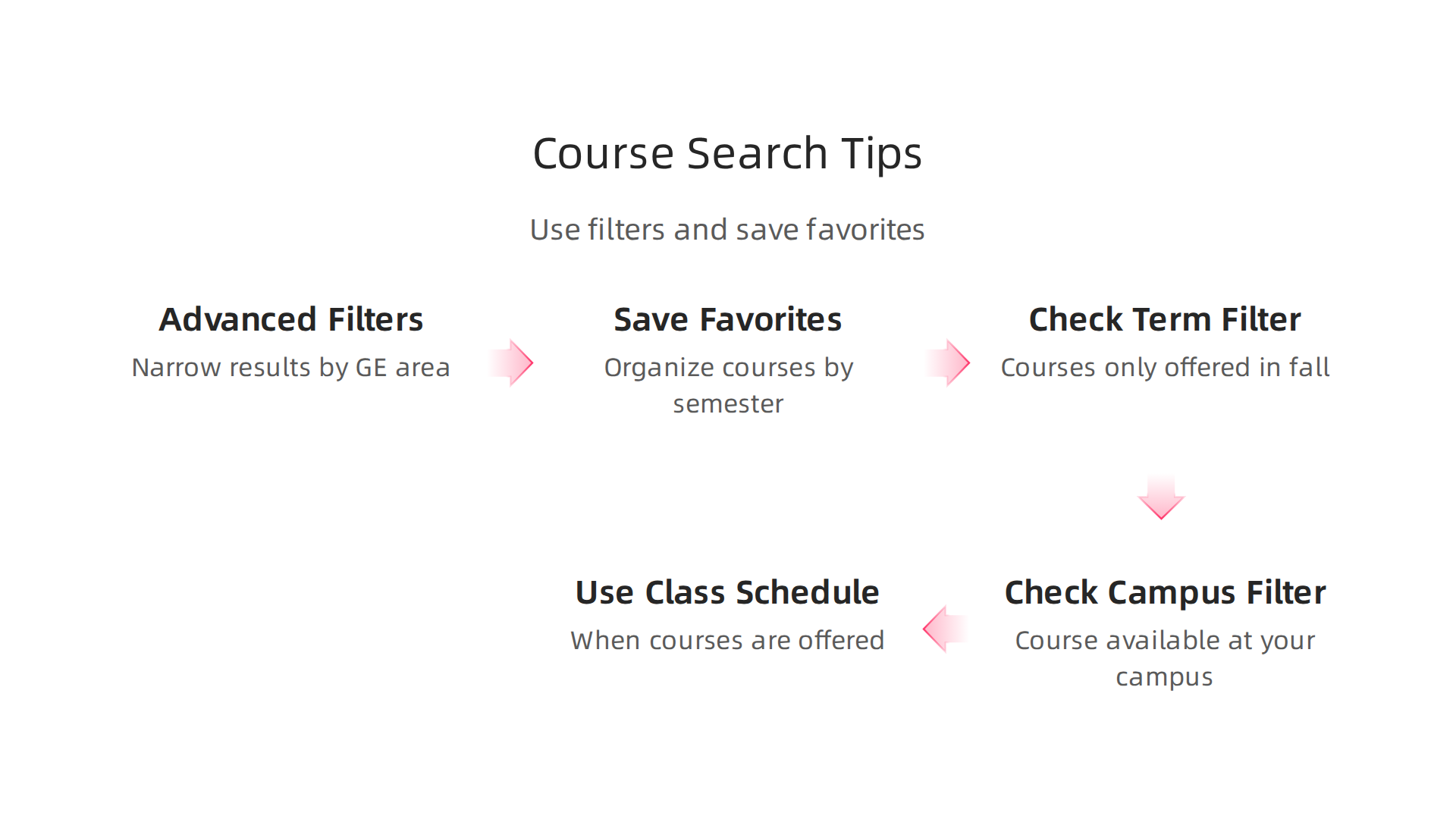
These filters help you skip courses that do not fit your schedule or degree plan.
For example, if you need a writing intensive course for your general education requirement, search for the "W" suffix in the course code. Or if you only want courses offered at a specific campus location, set that filter first. Taking a few seconds to use filters can cut your search time in half.

If you want to see how other schools organize similar catalogs, check out the CSU Global course catalog for a different layout that might give you ideas.
Save and Plan Your Favorites
Once you find courses that interest you, save them. Most catalogs have a "favorites" or "plan" feature. You can add courses to a list and organize them by semester. This is helpful when you are trying to build a balanced schedule. You can see at a glance if you have too many heavy reading classes in one term or if your lab sections conflict.
The plan feature also shows you how courses fit into your degree progress. Some systems even warn you if you are missing a prerequisite. Using these tools early can prevent registration headaches down the road.
Common Mistakes That Waste Time
Many students make the same mistakes when searching. The biggest one is ignoring the term filter. A course listed in the catalog might only be offered in fall. If you search in spring, you will find nothing. Always check which semesters the course is offered.
Another mistake is forgetting the campus filter. Some CSU campuses have multiple locations. A course might be listed in the catalog but only available at a different campus. Make sure you select your campus before you start planning.
Finally, do not rely only on the catalog search bar. Some catalogs have separate search tools for the class schedule and the course catalog. The catalog tells you what courses exist. The schedule tells you when they are offered this semester. Knowing the difference is key. For more general search tips that apply to academic databases, the Library Research Tutorials from CSUCI has a helpful guide.
Apply These Skills to Any Catalog
The search strategies you learn from the CSU course catalog work for other schools too. If you are looking at a Brown course catalog or a UCSB course catalog, the same ideas apply. Use filters. Save favorites. Check the term and campus. These simple habits make planning your degree much easier.
And if you are considering online bachelor degree programs, the same skills transfer. The catalog structure might look different, but the core ideas are the same. You still need to find courses, check requirements, and plan your schedule.
Just as a well-organized catalog helps you find the right courses, smart technology uses similar recognition systems to organize information. Research into AI memory, like Meta’s simulation patent, shows how systems can reconstruct information that might otherwise be lost. Thinking about how your own brain builds memory can also help you retain what you learn.
Understanding Course Formats: Online, Hybrid, In-Person
You have searched the catalog and found some interesting courses. But how do you know if they fit your life? The CSU course catalog tells you more than just course names and numbers. It also shows you how each class is taught.
Look for small codes next to the course title. You might see ONL, HYB, or a specific campus location. These letters tell you the delivery mode. ONL means the course is fully online. You never have to step foot in a classroom. HYB means hybrid. You will do some work online and attend some in-person sessions. A location code like "Fort Collins" or "Los Angeles" means the course meets in person at that campus.
For summer courses, the CSU Summer 2026 course schedule clearly lists whether classes are face-to-face, hybrid, or online. Many students choose online courses during summer because they want flexibility. But watch out. An online course might still require live video meetings at set times.
Your course format choice changes everything about your schedule. Online courses give you the most freedom. You can study at night, on weekends, or during your lunch break. Hybrid courses offer a middle ground. You get some face time with your professor but still have room in your week. In-person courses lock in your schedule. You need to be on campus at a specific time every week.
Think about how you learn best. Do you need the structure of a classroom? Then in-person might be your match. Do you prefer reading and working at your own pace? Try an online course. Many students mix formats across the semester for the best of both worlds. If you are exploring different learning styles, the guide to choosing the best MOOC courses offers helpful tips for self-paced online learning.
Here is the thing. The course format also affects your experience with the material itself. When you study fully online, you rely more on your own discipline and note-taking. In a classroom, you get live feedback and discussion. Hybrid courses ask you to switch between two modes, which can be challenging if you have a busy schedule.
Understanding these formats helps you build a semester that actually works for your life. And as you navigate different learning systems from catalogs to classrooms, you might notice how each one shapes your thinking in subtle ways. The Quietly Hijacked field note explores how different digital systems can influence your decisions without you realizing it. Being aware of these invisible forces helps you take control of your learning path.
Planning Your Semester with the CSU Catalog
Now that you know how course formats work, it is time to build your actual schedule. The CSU course catalog is more than a list of classes. It is a planning tool that helps you avoid scheduling disasters.
Start with prerequisites and corequisites. A prerequisite is a course you must pass before enrolling. Corequisites are courses you must take at the same time. If you miss these, the system will block your registration. Check each course description carefully. The CSU catalog for Summer 2026 clearly shows prerequisites in the course details. The interactive course schedule lets you search by subject and term so you can cross-reference what you need.
The real trick is using the term-specific view. The default catalog shows all courses for all semesters. But you need the version for your specific term. This view shows actual class times, instructor names, and available seats. For example, the Fall 2026 class schedule at CSU Stanislaus shows exact meeting times and the last day to add a class. You can see whether a course fills up fast or has open spots. This helps you plan around your work and family commitments.
The catalog also connects to your degree audit tool. This tool tracks your progress toward graduation. When you plan each semester, run a degree audit first. It shows which requirements you still need. Then match those needs with available courses in the catalog. This way, you never waste time on classes that do not count toward your degree. If you are exploring options beyond CSU, you can also check the brown course catalog or the ucsb course catalog for comparison.
Think of the catalog as your roadmap. It helps you check prerequisites, see real class schedules, and confirm credits count toward your goal. Your learning journey gets easier when you let the catalog guide your path.
As you become more aware of how systems shape your choices, you might notice your own decision patterns shifting. The concept of authority displacement appears when we trust external systems too much. {{cta:1551}}
Beyond the Catalog: Using the CSU System for Transfer and Degree Planning
The CSU course catalog helps you pick classes each term. But it also holds the keys to bigger goals like transferring from a community college or finishing your degree faster. Let’s look at three powerful tools hidden inside the catalog.
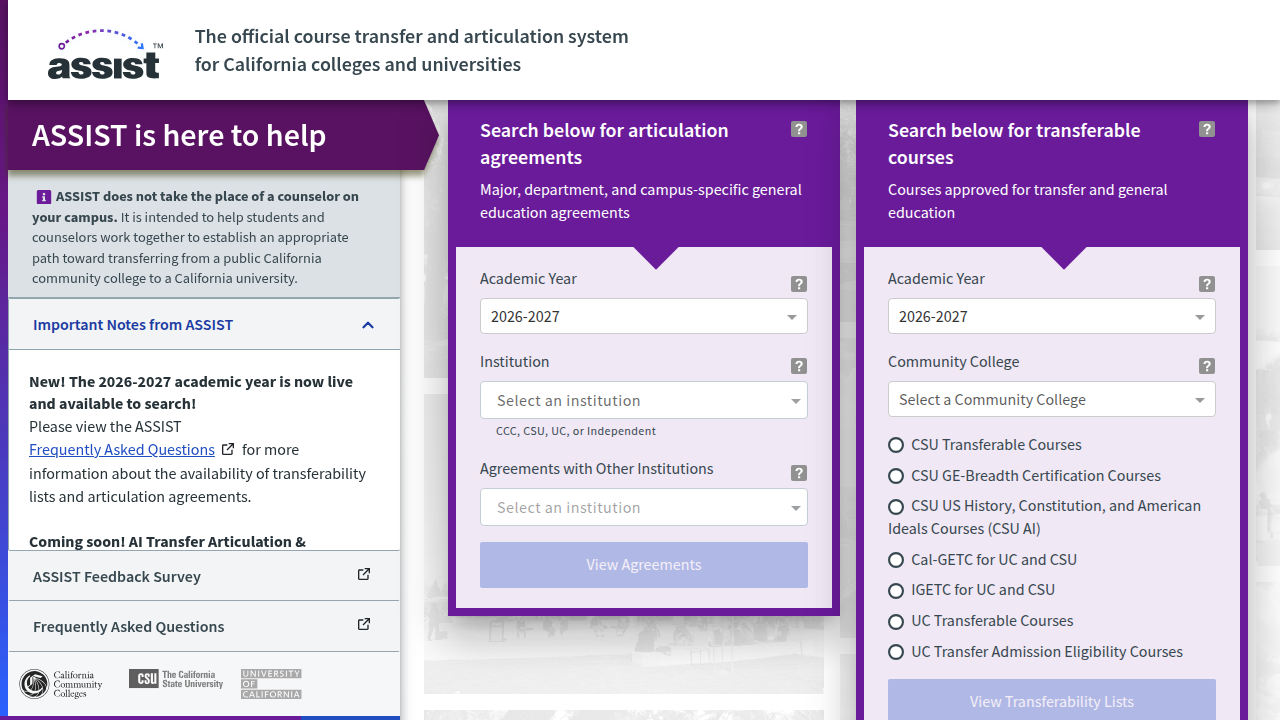
Articulation agreements and transfer pathways. If you are coming from a California community college, the catalog shows official transfer pathways called articulation agreements.
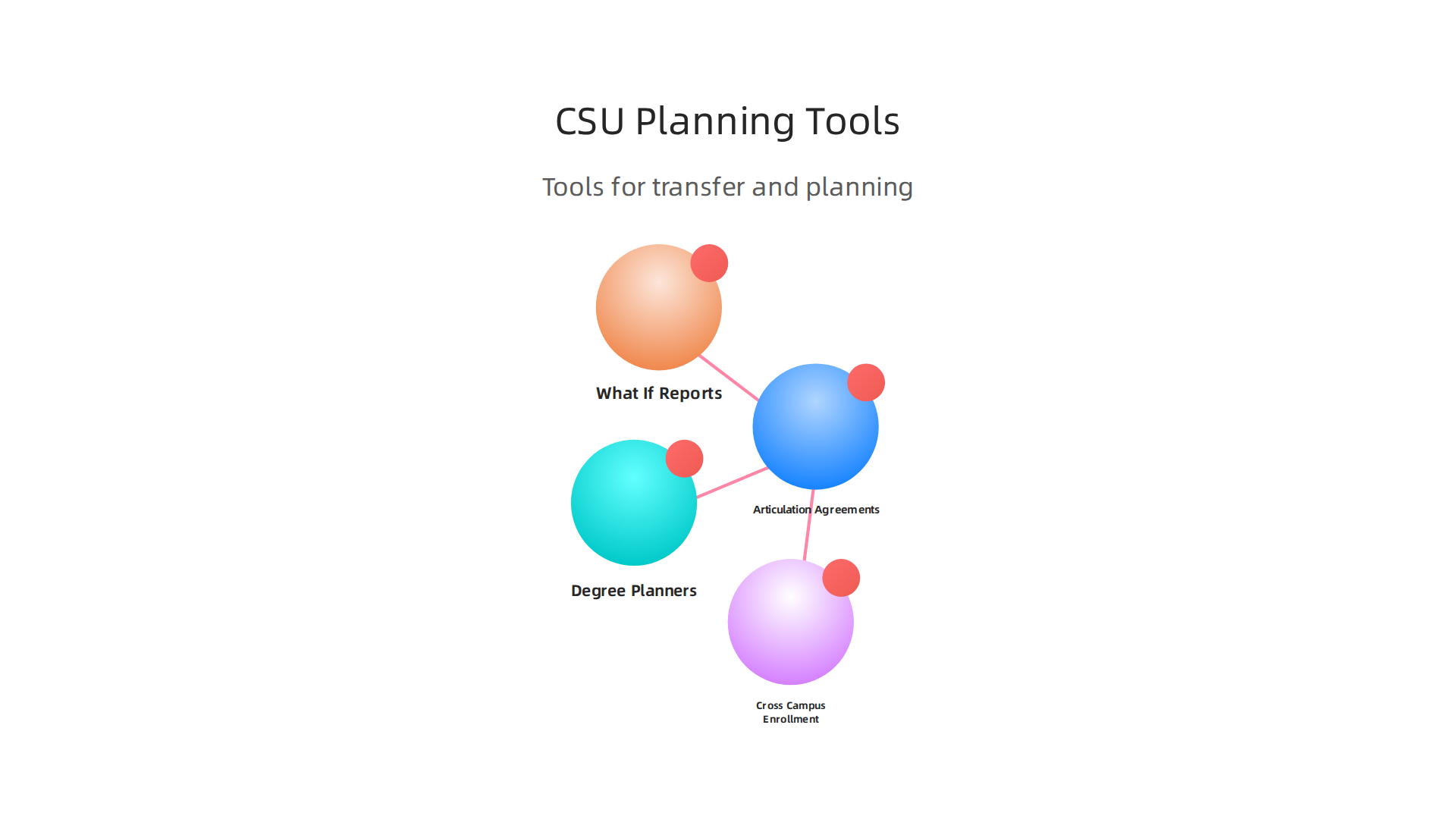
These tell you exactly which courses at your current school will count toward your CSU degree. You can find the full details on ASSIST, the official transfer system for California colleges and universities.
For example, the California State University admission requirements page explains what you need to qualify as an upper-division transfer student, including the 60-unit minimum and GPA rules. The catalog pulls this data together so you can plan every step. If you are also looking at private schools or the University of California, you might explore the brown course catalog or the ucsb course catalog for comparison. But for California public university transfer, the CSU catalog is your starting point.
Degree planners and ‘What If’ reports. The catalog connects to a ‘What If’ degree audit tool. This lets you try on different majors without switching officially. You enter a major you are thinking about, and the tool shows which of your completed credits would apply. It also highlights the exact requirements you still need. This saves you from taking courses that end up not counting. For a deeper look at planning with catalogs, check out this guide on how to use the UNC course catalog to plan your semester. The same idea works across schools. You can also browse the catalog for online bachelor degree programs offered through CSU, which are listed clearly in the degree sections.
Cross-campus enrollment options. Sometimes the class you need is full at your home campus. The catalog includes cross-campus enrollment details. This means you can take a course at another CSU campus and have the credits transfer back. The policies, deadlines, and forms are all listed in the catalog under enrollment rules. You do not have to start from scratch.
So do not stop at picking one semester. Use the catalog to map out your entire degree path, explore transfer options, and even take classes at other campuses. It is your complete roadmap to graduation.

Summary
This guide explains how to use the California State University course catalog as your primary roadmap for choosing classes, meeting degree requirements, and avoiding registration mistakes. It shows where to find campus and system-wide catalogs, why the catalog year matters, and how course codes, suffixes, prerequisites, and corequisites work. You’ll learn practical search strategies and filters to find courses fast, how to identify delivery formats (online, hybrid, in-person), and how to use term-specific schedules and degree-audit tools to build a semester that counts. The article also covers transfer pathways, articulation agreements, and cross-campus enrollment so you can plan beyond a single term. By the end, you’ll be able to read catalog entries accurately, confirm which courses apply to your degree, and create a realistic registration plan that avoids surprises.
Discover more on memory and learning